
7 Things That Get Easier When Form Data Lands in Excel Automatically
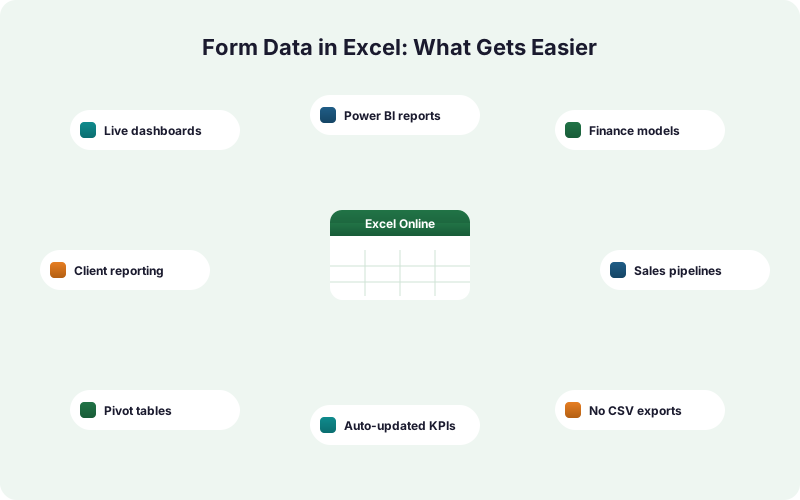
When WordPress form submissions flow straight into a real Excel workbook, a whole set of reporting and operations jobs stop being manual. Here are seven of them.
In This Guide
- Why Excel Is Still Where the Work Happens
- 1. Live Dashboards That Never Go Stale
- 2. Power BI and PivotTables on Real-Time Data
- 3. Finance and Ops Models Fed Automatically
- 4. Client Reporting Without Manual Exports
- 5. Sales Pipelines the Team Already Works In
- 6. Eliminating Manual Re-Keying Errors
- 7. Sharing via OneDrive and Teams Without Sending Files
- How to Turn These On: Free Mirror vs Paid Excel-Primary
- The Takeaway
- Frequently Asked Questions
Why Excel Is Still Where the Work Happens
Excel hasn't gone anywhere. AutoRek via PR Newswire (2025) reports that 90% of financial-operations firms still rely on spreadsheets, and Microsoft 365 carries 400M+ paid commercial seats per Microsoft FY2024 (SEC 8-K). Your team already lives in Microsoft Excel.
The friction isn't Excel. It's how form data gets into it. The usual path is export a CSV, open it, paste, fix columns, repeat next week. That manual loop is slow and error-prone.
When WordPress form submissions land in an Excel workbook in real time, several jobs that used to eat hours just stop being manual. This post walks through seven of them. We send submissions directly to Excel Online via Microsoft Graph - no Zapier, no middleware, no CSV.
1. Live Dashboards That Never Go Stale
A dashboard built on a CSV export is stale the moment you finish pasting. With form data writing into Excel automatically, the charts and PivotTables on top of that table refresh against current numbers, not last week's snapshot. IBM (2024) ties poor data quality directly to bad decisions, and stale data is a quiet version of that.
Picture a lead-volume dashboard: submissions by day, source breakdown, conversion rate. When each new WordPress submission appends a row to the Excel table, every chart pointed at that table updates on open.
Because SheetLink writes through Microsoft Graph into a real OneDrive workbook, the file opens identically in Excel desktop, web, and mobile. No one re-pastes anything. The dashboard is just current. If you want the same idea on the other side, see our Google Sheets dashboards guide. ****
2. Power BI and PivotTables on Real-Time Data
Reporting tools are only as fresh as their source. Rossum (2024) found 58% of finance leaders use Excel as their primary tool, and many of them feed Power BI or PivotTables from those same workbooks. A live Excel table means those models pull current numbers.
Connect Power BI to the OneDrive workbook once. Every new form submission that SheetLink appends becomes another row Power BI can refresh against. No manual re-import step.
The same goes for native Excel PivotTables: right-click, Refresh, done. **** In our experience, teams that wire reporting to a live table stop emailing each other "can you re-run the report?" almost immediately. For the trade-offs versus older methods, compare Excel sync vs CSV export vs Power Automate.
3. Finance and Ops Models Fed Automatically
Finance runs on spreadsheets, and that isn't changing soon: AutoRek via PR Newswire (2025) puts spreadsheet reliance at 90% of financial-ops firms despite known bottlenecks. When form data feeds those models directly, the inputs update themselves.
Think of a pipeline forecast that multiplies new demo requests by an average deal size, or a capacity model that counts intake-form submissions per week. Those formulas reference the Excel table SheetLink writes to.
As submissions arrive, the model's inputs change, and downstream calculations follow. No analyst pasting last week's leads into the assumptions tab. The workbook stays a single source of truth, and SheetLink's automatic UTM and click-ID capture (GCLID, fbclid, msclkid) means source attribution lands in the model too, not just raw counts.
4. Client Reporting Without Manual Exports
Agencies lose real hours to the export-paste-format loop. Manual data entry carries an 18-40% error rate per Panko (2016), so every manual client report is also a chance to ship a wrong number. Automatic Excel delivery removes that step entirely.
Set up one workbook per client, mapped to that client's WordPress forms. Each submission appends to the right table. The monthly report is a tab in a workbook that's already current.
**** Across the agency teams we onboard, the most common before-state is a weekly 20-30 minute CSV export per client; multiplied across ten clients that's a half-day a week reclaimed. Because the file lives on OneDrive, you share a view link instead of emailing a fresh export. For multi-site setups, the Primary Destinations add-on covers Microsoft-only client estates.
5. Sales Pipelines the Team Already Works In
Plenty of sales teams run their pipeline in Excel, not a CRM, and they're not wrong to: Rossum (2024) shows how deeply embedded Excel is in commercial workflows. When new leads land in that workbook automatically, reps work the same file they always have.
A contact or demo-request form maps to columns the team already uses: name, company, source, status. SheetLink appends each submission as a new row in the live Excel Online table.
Reps add notes and update status columns in place. Nobody re-keys a web inquiry into the tracker. Because mapping is per-rule, you control exactly which form fields populate which pipeline columns. See the full WordPress form to Excel setup for field mapping detail.
6. Eliminating Manual Re-Keying Errors
Re-keying is where good data goes to die. Panko (2008) found up to ~88% of spreadsheets contain errors, and manual entry rates run 18-40% per Panko (2016). Removing the human copy step removes that whole error class.
When a submission writes itself into Excel, the data in the cell is the data the visitor typed. No transposed digits, no skipped rows, no "did I paste over the header?" moments.
SheetLink also adds a safety net: a retry queue with 5-minute, 30-minute, and 2-hour backoff, plus delivery logs so you can confirm every submission landed. **** The reliability win is quieter than the speed win, but for revenue-critical forms it matters more - a lead you never re-typed is a lead you never lost to a typo.
7. Sharing via OneDrive and Teams Without Sending Files
Emailing spreadsheet attachments creates version chaos: which copy is current? With the workbook on OneDrive, you share one live link, and Microsoft FY2024 (SEC 8-K) reports 400M+ M365 seats already set up to open it.
Drop the workbook into a Microsoft Teams channel and the whole team sees current form data, no attachment, no "latest version" confusion. Edits sync for everyone.
Because SheetLink delivers into that same OneDrive workbook in real time, the shared link is always live, not a frozen export. For teams with no Google account at all, the Microsoft 365 without Google guide walks through an Excel-only path that keeps everything inside your tenant.
How to Turn These On: Free Mirror vs Paid Excel-Primary
Two delivery modes cover the seven jobs above, and the difference matters for cost. The free mirror mode is included on every SheetLink license; Primary Destinations is a paid add-on. Pick based on whether you keep a Google Sheet in the loop.
Free mirror mode writes one submission to Google Sheets and mirrors it into Excel at the same time, at no extra cost. Good when some stakeholders want Sheets and others want Excel.
Excel-primary mode (part of SheetLink Plus, $29/mo) makes Excel Online the sole destination - no Google Sheet, no Google account required. That's the right choice for Microsoft-only teams. To pick between the platforms, read Excel Online vs Google Sheets for form data.
The Takeaway
The pattern across all seven jobs is the same: when form data lands in Excel automatically, the manual step in the middle disappears. Dashboards stay current, models update themselves, client reports skip the export, and re-keying errors stop happening.
None of this needs Zapier or a CSV. SheetLink is a direct integration through Microsoft Graph into a real OneDrive workbook, so the file you share is the file that's live.
Start with the free mirror if you still want a Google Sheet alongside Excel. Move to the Primary Destinations add-on when Microsoft is your only spreadsheet platform. Either way, setup is the same short path: Destinations, Excel Online, Connect, pick a workbook and table, map your fields. The full walkthrough lives in send WordPress form submissions to Excel Online.
| Job | Manual export workflow | Automatic Excel sync |
|---|---|---|
| Dashboards | Stale until re-pasted | Current on open |
| Data entry | 18-40% error rate | No re-keying |
| Client reports | Weekly CSV export | Always-live tab |
| Sharing | Emailed attachments | One OneDrive link |
Frequently Asked Questions
Does mirroring form data to Excel cost extra?
No. The mirror mode is free on every SheetLink Forms license, including the free version on wordpress.org. One rule writes to Google Sheets and mirrors the same submission into Excel Online at once, with no add-on required.
What does Excel-primary mode cost?
Primary Destinations is part of SheetLink Plus at $29/mo. It makes Excel Online the sole destination, so you need no Google Sheet and no Google account anywhere in the workflow.
Is this real-time or a scheduled export?
Real-time. SheetLink writes each submission into your Excel Online workbook through Microsoft Graph as it arrives - typically within seconds. There is no CSV file, no scheduled batch, and no manual import step between the form and the workbook.
Can Power BI read the Excel workbook SheetLink writes to?
Yes. The workbook lives on OneDrive as a normal Excel file, so Power BI connects to it like any other workbook. As SheetLink appends new submission rows, refreshing Power BI pulls the current data with no re-import.
Why does automatic delivery reduce errors?
It removes the manual copy step. Manual data entry carries an 18-40% error rate per Panko (2016), and up to ~88% of spreadsheets contain errors per Panko (2008). When data writes itself, transposed digits and skipped rows simply stop happening.
Does SheetLink use Zapier or middleware?
No. SheetLink Forms is a direct integration. It connects to Excel Online through Microsoft Graph via an OAuth connection to your work or school Microsoft 365 account. There is no Zapier, Make, or third-party automation service in the path.
Can the whole team open the workbook?
Yes. Because the workbook sits on OneDrive, it opens identically in Excel desktop, web, and mobile, and shares through a OneDrive link or a Microsoft Teams channel. Microsoft reports 400M+ paid M365 seats, so most teams already have access.
Which WordPress form plugins are supported?
SheetLink Forms supports 12 major form plugins in the core product, expanding to 17 with the Pro tier. Field mapping is per-rule, so you control exactly which form fields populate which columns in the destination Excel table.
What happens if Excel is briefly unreachable?
SheetLink queues the submission and retries with a 5-minute, 30-minute, and 2-hour backoff, and delivery logs let you confirm each row landed. A temporary Microsoft Graph hiccup delays delivery rather than losing the submission.
More Lead Management guides
Send WordPress Form Data Straight Into Excel
Mirror to Excel for free alongside Google Sheets, or go Excel-only with the Primary Destinations add-on. Real-time, direct through Microsoft Graph, no Zapier.