
Primary Destinations
Make Excel Online, Airtable or Notion your form’s only destination - no Google Sheet required. One add-on covers all three. (Mirroring to any of them alongside Google Sheets is free and always has been - this add-on is for taking the Google Sheet out of the loop entirely.)
Ships in SheetLink Pro, a separate plugin installed next to the free SheetLink Forms plugin. The free plugin contains no locked features.
Key Benefits
Three Destinations, One Add-on
Excel Online, Airtable, and Notion can each be a rule’s sole destination. Buy once and switch between them - or use a different one per rule - without buying anything else.
No Google Sheet in the Loop
Drop the Google Sheet entirely. No Google account, no Apps Script, no spreadsheet you never look at - submissions go straight from your WordPress server to the destination you actually work in.
Per-Rule Field Mapping
Map each form field to an Excel column, an Airtable column, or a Notion property - per rule, so different forms can land in different places with different shapes.
The Full Delivery Pipeline
Primary deliveries get the automatic retry queue, save-time validation of your credentials, and destination-aware health checks - the same reliability the Google Sheets path has always had.
How It Works
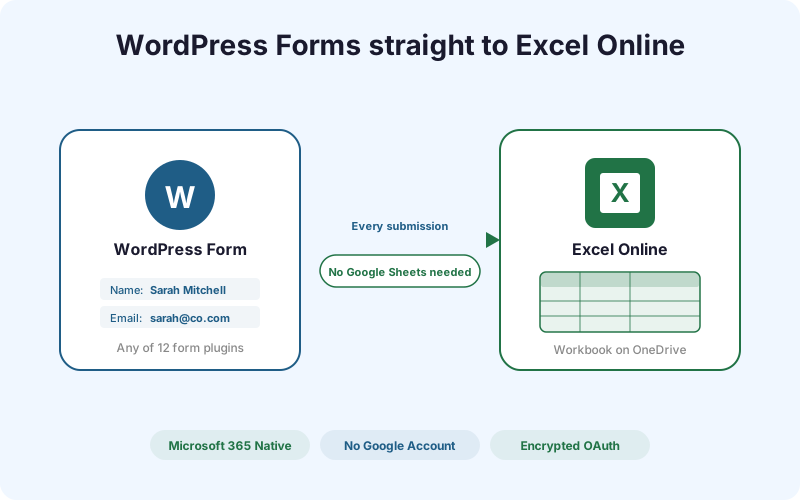
Connect a Microsoft 365 account from SheetLink Forms -> Destinations -> Excel Online (a standard OAuth sign-in with a work or school account; personal Outlook.com accounts are not supported by Microsoft's Excel API). Pick a workbook and table from the picker; your existing Excel tables show up automatically. Then, on any sync rule, set the Primary destination to Excel Online and map your form fields to Excel columns. From that point, every matching submission posts straight to Microsoft Graph and the row appears in your Excel table within seconds - with no Google Sheet anywhere in the path. If you would rather keep Google Sheets as the primary delivery and also copy each submission into Excel, that mirror mode is free and needs no add-on; this add-on is specifically for making Excel the sole destination.
Real-World Use Cases
Microsoft 365 Teams
Your company runs on Excel and OneDrive. Form submissions land in the workbook finance already opens every morning - no Google account anywhere in the stack.
Teams Who Work In Airtable
Airtable is your operational database, not a spreadsheet copy of one. Leads arrive as records in the base your team already builds views and automations on.
Notion-First Companies
Your wiki, CRM, and project tracking are all in Notion. Each submission becomes a page in the right database, with the right property types, ready to triage.
Feature Comparison
| Feature | Mirroring (Free) | Primary Destinations (in the AI Pack) |
|---|---|---|
| Google Sheet required | Yes - the mirror runs after a successful Sheets delivery | No - the destination stands alone |
| Destinations covered | Excel Online, Airtable, Notion | Excel Online, Airtable, Notion |
| Google account needed | Yes | No |
| Retry queue on failure | No - mirrors are best-effort | Yes - throttling and outages retry automatically |
| Best for | Keeping a spreadsheet copy alongside your main tool | Teams whose system of record is not a Google Sheet |
| Price | Free on all plans | Part of the AI Pack - $29/mo or $290/yr |
Frequently Asked Questions
Is sending form data to Excel, Airtable or Notion free?
Mirroring is free on all plans - that means every submission goes to your Google Sheet and to Excel Online, Airtable, or Notion at the same time, with no add-on. Primary Destinations (part of the AI Pack, $29/mo) is only needed when you want one of them to be your sole destination, with no Google Sheet involved.
Does one add-on really cover all three?
Yes. Primary Destinations is a single add-on that unlocks Excel Online, Airtable, and Notion as primary destinations. You can use a different one on each rule, or switch between them later, without buying anything else.
I already bought the Excel Primary add-on. Do I need to buy this?
No. Primary Destinations is the same add-on, renamed and broadened - your existing licence already covers Airtable and Notion as primary destinations at no extra cost. Since the 1.17.0 split, the feature ships in the separate SheetLink Pro plugin - install it next to the free plugin and your licence activates it. Existing rules keep delivering either way.
Do I need a Google account?
Not with this add-on. A primary Excel, Airtable, or Notion rule never touches Google - submissions go from your WordPress server straight to that provider’s API. The free mirror modes do require a Google Sheet, because a mirror by definition runs after a successful Sheets delivery.
Where is my form data stored?
In your own Excel workbook on OneDrive, your own Airtable base, or your own Notion database. Submissions are sent directly from your WordPress server to that provider using your own credentials - they never pass through SheetLink’s servers.
Is it included in any bundle?
Yes. Primary Destinations is part of the AI Pack ($29/mo or $290/yr), alongside AI Lead Scoring, AI Analytics, and Multi-CRM Routing - it is not sold on its own.
Make any destination your only destination
No Google Sheet, no Google account - form data straight into Excel on OneDrive, an Airtable base, or a Notion database. Want one of them alongside Sheets instead? That’s free, no add-on needed.