
Gravity Forms to Excel Online Without Zapier
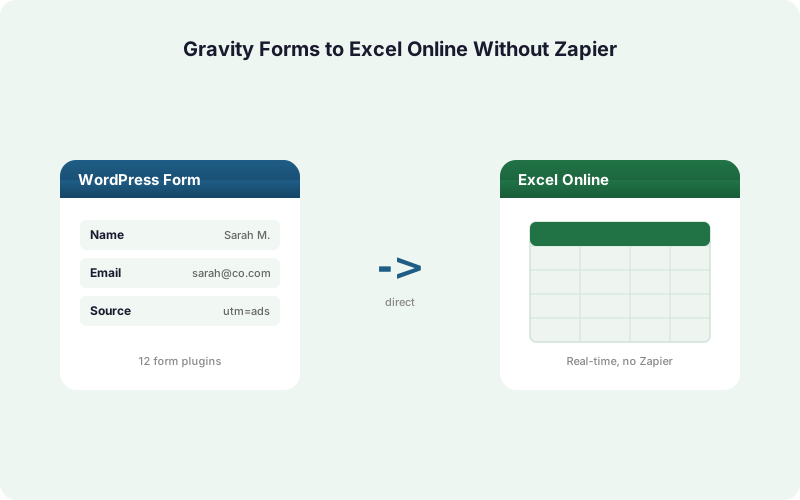
Send every Gravity Forms entry straight into an Excel Online workbook on OneDrive in real time over Microsoft Graph. No Zapier, no CSV exports, no per-task fees.
In This Guide
- Why Send Gravity Forms Entries Straight to Excel Online?
- What You Need Before You Start
- What Is Different About Gravity Forms Entries?
- How Do You Connect Microsoft 365 to WordPress?
- How Do You Map Gravity Fields to Excel Columns?
- Is Sending to Excel Online Free or Paid?
- Why Skip Zapier and Power Automate for This?
- What Happens If OneDrive Is Unreachable?
- How Do You Verify the Connection Works?
- Can Agencies Run This Across Many Client Sites?
- Frequently Asked Questions
Why Send Gravity Forms Entries Straight to Excel Online?
Microsoft 365 has more than 400 million paid commercial seats (Microsoft FY2024 earnings, SEC 8-K (2024)), so for most teams the spreadsheet of record already lives in Excel on OneDrive, not Google Sheets. A direct write keeps it current automatically.
The usual workarounds are slow or fragile. CSV export means someone remembers to download entries, then upload them, then dedupe rows by hand. Zapier adds a per-task meter on top. Power Automate adds premium-connector licensing. None of that is necessary when WordPress can push each entry to the workbook itself.
This guide shows the direct path: a Gravity Forms entry submits, and within a second or two a new row appears in your Excel Online table over the Microsoft Graph API. We cover Gravity-specific quirks, connecting Microsoft 365, mapping fields to columns, and what stays free.
What You Need Before You Start
You need three things: a WordPress site running Gravity Forms, a work or school Microsoft 365 account with OneDrive for Business, and SheetLink Forms installed. WordPress powers about 43% of all websites (W3Techs (2026)), so the host side is rarely the blocker.
Gravity Forms is one of the 12 core form plugins SheetLink supports out of the box, alongside Elementor Pro, WPForms, Fluent Forms, and Contact Form 7. No add-on is required to connect Gravity Forms itself.
On the Excel side, create the workbook in OneDrive first and add a header row, for example Name, Email, Message, Date. SheetLink writes into a formatted Excel table, so a clean header row gives you tidy columns from the first entry. You do not need to pre-format anything beyond that.
If you have not picked a destination yet, our Excel Online vs Google Sheets comparison walks through which fits your stack.
What Is Different About Gravity Forms Entries?
Gravity Forms stores every submission as a database entry first, then fires hooks, which matters for timing: SheetLink hangs its delivery on the entry-saved event, so the row reaches Excel only after Gravity has fully recorded the entry. Spreadsheet error rates run as high as ~3.9% per cell on hand-keyed sheets (Panko (2016)), and automating this step removes that re-typing risk entirely.
Advanced and composite fields need attention. Name, Address, and Checkbox fields are multi-input. A Name field has prefix, first, last, and suffix sub-inputs; an Address field has street, city, state, ZIP, and country. SheetLink lets you map each sub-input to its own Excel column, or combine them, so you decide the layout instead of getting one blob.
File uploads and lists come through as a URL or a serialized value. Map those to a text column and the link lands in Excel, ready to click. Multi-select and checkbox values arrive comma-joined by default, which keeps one entry on one row.
How Do You Connect Microsoft 365 to WordPress?
You connect once through a hosted OAuth broker, not by pasting API keys. Because Microsoft 365 carries 400M+ paid commercial seats (Microsoft FY2024 earnings, SEC 8-K (2024)), SheetLink ships a pre-registered Azure app so you skip the entire Azure portal setup that raw Graph access would demand.
In the SheetLink admin, open the Excel Online destination and click Connect Microsoft 365. You are redirected to Microsoft's standard sign-in and consent screen. Approve the read/write scope for your files, and you are bounced back to WordPress with the connection live.
Behind the scenes, the broker handles the OAuth handshake and hands your site a refresh token. SheetLink stores that token encrypted at rest with AES-256-GCM, never in plain text. You never see or manage a client secret, and you can revoke access from your Microsoft account page at any time.
The whole connection takes about two minutes and survives token expiry automatically through silent refresh.
How Do You Map Gravity Fields to Excel Columns?
You map fields in one screen: pick the Gravity form, pick the OneDrive workbook and worksheet, then draw lines from each form field to an Excel column. SheetLink writes into a native Excel table, so column order is preserved on every entry and no row ever lands in the wrong place.
Start by selecting your Gravity form from the dropdown. SheetLink reads its current field list, including advanced sub-inputs, so a Name field expands into First and Last rows you can map separately.
Then choose the target. Point the rule at the workbook you created in OneDrive and the specific worksheet. SheetLink detects the header row and offers each column as a mapping target.
Finally, match each field to a column and save. Unmapped fields are simply ignored, so you can capture only the columns that matter. Want field values to decide where rows go? Our conditional routing guide covers routing by field value, and the same logic applies to Excel destinations.
Is Sending to Excel Online Free or Paid?
Both modes exist, and the free one covers most needs. Free mirror mode lets a single rule deliver each Gravity entry to Google Sheets and Excel Online at the same time, at no extra cost. Given that 90% of finance-ops firms still rely on spreadsheets (AutoRek via PR Newswire (2025)), keeping both copies in sync is genuinely useful.
Mirror mode does require a Google Sheet in the loop, since Excel rides alongside it. That is the free tier, and many teams never need more.
If you want Excel to be the sole destination with no Google account anywhere, that is the Primary Destinations add-on, part of the AI Pack ($29/mo). It promotes Excel Online to a first-class primary destination.
The core SheetLink plugin itself is free with no site limit, and there are no per-task fees on either path. See full tiers on the pricing page.
Why Skip Zapier and Power Automate for This?
Cost and control. Zapier meters per task, where one action equals one task, starting at $19.99/month annual for 750 tasks with overage billed at 1.25x the base rate (Zapier pricing (2026)). Every Gravity entry burns a task, so a busy form quietly climbs tiers.
Power Automate is no cheaper for this. Microsoft began enforcing premium-connector licensing on April 1, 2025, with documented per-flow run and throttling limits (Microsoft Learn (2025)). Writing to Excel through a flow can land you on a premium plan fast.
A direct integration removes the meter entirely. SheetLink writes to Excel from your WordPress server straight to Microsoft Graph, so volume costs nothing extra and there is no third-party uptime in the path. For the full dollar breakdown, see our Make vs Zapier vs direct plugin true-cost analysis and the Zapier cost deep-dive.
What Happens If OneDrive Is Unreachable?
Nothing is lost. SheetLink ships with a built-in retry queue using exponential backoff at 5 minutes, 30 minutes, then 2 hours, so if Microsoft Graph is briefly unavailable the entry is held and re-sent automatically. The Gravity entry itself is already safe in the WordPress database, and the Excel write simply catches up.
This matters because data-quality failures carry real downstream cost (IBM (2024)), and a silently dropped row is a classic failure mode in CSV and webhook-only setups.
Every attempt is recorded in full delivery logs, so you can see exactly which entries reached Excel and when. If a write keeps failing, the log tells you why, for instance a renamed worksheet or revoked token, instead of leaving you guessing.
SheetLink also captures UTM parameters and click IDs (GCLID, fbclid, msclkid) automatically, so attribution data lands in Excel beside the form fields. Our marketing attribution guide explains how to use those columns.
How Do You Verify the Connection Works?
Submit a test entry, then look at the workbook. Because the write rides Microsoft Graph in real time, a correctly mapped Gravity entry appears as a new row in your Excel Online table within a second or two, no refresh of a CSV import required.
First, fill in your Gravity form on the front end and submit it normally. Watch the OneDrive workbook in a browser tab; the row should appear almost immediately.
If it does not, open SheetLink's delivery log. A green status confirms a successful write. A failed status names the cause, usually a column header that no longer matches the mapping or a Microsoft token that needs reconnecting.
With spreadsheets carrying error rates near 3.9% per cell when filled by hand (Panko (2016)), this automated round-trip is the point: once the test row lands cleanly, every future entry follows the same verified path with zero manual entry. For deeper setup help, see the WordPress form to Excel destination page.
Can Agencies Run This Across Many Client Sites?
Yes, and the economics favor it. The core plugin is free on unlimited sites, and the Agency tier ($199/yr or $499 lifetime) adds premium features on 25 activated sites, with no per-entry fees regardless of how many client Gravity forms feed Excel. Compared with Zapier's per-task meter (Zapier pricing (2026)), the gap widens with every client added.
Each client site connects its own Microsoft 365 account through the same two-minute OAuth flow, so workbooks stay in the client's own OneDrive tenant. Nothing is shared across clients.
For teams standardizing Excel reporting across a portfolio, this turns a recurring SaaS line item into a fixed cost. The agency page covers multi-site licensing and white-label options, and the broader add-ons catalog lists Multi-CRM Routing and Two-Way Sync for clients who need more than a spreadsheet.
Need Google Sheets as well? The complete Google Sheets guide and the Sheets setup docs cover that side.
| Method | Speed | Manual Work | Per-Entry Cost | Data Loss Risk |
|---|---|---|---|---|
| Gravity CSV export | Manual, batched | Download + upload each time | $0 but high labor | High (forgotten exports) |
| Zapier | Polled or webhook | Connection setup per form | Per-task meter | Vendor-managed queue |
| SheetLink direct | Real time (1-2 sec) | One-time mapping | $0 per entry | Local retry queue |
Frequently Asked Questions
Does this work with all Gravity Forms field types?
Yes. Standard fields map directly, and advanced composite fields like Name and Address expand into sub-inputs you can map to separate Excel columns or combine. File uploads arrive as clickable URLs, and multi-select values come comma-joined so each entry stays on a single row.
Do I need a Google account to send Gravity entries to Excel Online?
Only for free mirror mode, which delivers to Google Sheets and Excel together. To make Excel the sole destination with no Google account anywhere, use Primary Destinations, part of the AI Pack ($29/mo). The free core plugin has no per-task fees on either path.
How fast does an entry reach Excel Online?
Typically within a second or two. SheetLink writes over the Microsoft Graph API the moment Gravity Forms saves the entry, so a new row appears in your OneDrive workbook in near real time. There is no polling delay and no CSV import step.
Is this cheaper than Zapier or Power Automate?
Usually, yes. Zapier meters per task starting at $19.99/month for 750 tasks with 1.25x overage (Zapier pricing, 2026), and Power Automate enforces premium-connector licensing as of April 1, 2025 (Microsoft Learn, 2025). SheetLink charges no per-entry fee on the direct path.
What happens if a submission fails to reach Excel?
SheetLink's built-in retry queue holds the entry and re-sends it with exponential backoff at 5 minutes, 30 minutes, then 2 hours. The Gravity entry is already saved in WordPress, so nothing is lost. Delivery logs record every attempt and its outcome.
Do I have to set up an Azure app or API keys?
No. SheetLink ships a pre-registered Azure app and connects through a hosted OAuth broker. You click Connect Microsoft 365, approve the consent screen, and you are done. The refresh token is stored encrypted with AES-256-GCM, and no client secret is ever exposed to you.
Can I send the same entry to Excel and a CRM at once?
Yes. The Multi-CRM Routing add-on fans each submission out to HubSpot, Salesforce, Pipedrive, Zoho, Mailchimp, or ActiveCampaign alongside your spreadsheet, with conditional routing by field value. There are no per-task fees, unlike metered automation platforms.
Will UTM and click-ID data land in Excel too?
Yes. SheetLink automatically captures UTM parameters and click IDs (GCLID, fbclid, msclkid) on each submission and writes them to columns beside your Gravity fields. That gives you marketing attribution directly in the workbook without any extra tracking setup.
More Tutorial guides
Push Every Gravity Entry Straight Into Excel Online
Real-time delivery over Microsoft Graph to your OneDrive workbook. No Zapier, no CSV, no per-task fees. Connect Microsoft 365 in about two minutes.