
Google Sheets vs Airtable for WordPress Form Data
Both can be the destination for your WordPress leads. One is a free, formula-driven grid; the other is a relational database with views and automations. Here's how to choose - and why you don't have to.
In This Guide
- Google Sheets or Airtable: Which Should Hold Your WordPress Leads?
- How Are Sheets and Airtable Structured Differently?
- Formulas and Scale vs Relational Records and Views
- What Does Each Option Actually Cost?
- Which Handles Scale and Volume Better?
- How Do They Compare for Team Collaboration?
- Which Has the Easier Learning Curve?
- What About Built-In Automations?
- How SheetLink Delivers to Sheets, Airtable, or Both
- When Does Each Tool Actually Win?
- Recap: Make the Call With Confidence
- Frequently Asked Questions
Google Sheets or Airtable: Which Should Hold Your WordPress Leads?
Pick Google Sheets when you want free, formula-heavy analysis and broad sharing; pick Airtable when you want relational records, multiple views, and built-in automations. WordPress powers about 43% of all websites (W3Techs (2026)), so this decision touches a lot of lead pipelines.
The good news: you are not locked in. With SheetLink Forms you can deliver submissions to Sheets for free, to Airtable, or to both at once.
This post compares the two honestly across structure, cost, scale, collaboration, learning curve, and automations, then shows when each genuinely wins.
How Are Sheets and Airtable Structured Differently?
Google Sheets is a flat grid of cells; Airtable is a relational database wearing a spreadsheet costume. A single Sheets file can hold up to 10,000,000 cells (Google Workspace Updates (2022)), all addressable by formula. Airtable instead stores typed records you can link across tables.
That difference is the whole story. In Sheets, a cell can be a number, a date, or a 200-line formula referencing other tabs. Flexibility is total, and so is the room for error.
In Airtable, each field has a type: single-select, attachment, linked record, checkbox. You cannot accidentally type "N/A" into a number column. The structure is stricter, which keeps lead data cleaner but limits free-form math.
For WordPress form data specifically, both work. A contact form maps neatly to either a row of cells or a record of typed fields.
Formulas and Scale vs Relational Records and Views
Sheets wins on ad-hoc analysis; Airtable wins on relationships and views. Spreadsheet research is sobering here: audits have found errors in up to roughly 88% of inspected spreadsheets, with an average cell error rate near 3.9% (Panko (2008)). Heavy formula reliance is exactly where those mistakes hide.
Google Sheets shines when you want pivot tables, QUERY functions, sparklines, and one-off calculations across thousands of rows. It is a calculator that happens to store data.
Airtable shines when one lead links to a company, which links to a deal, which links to an owner. You build that web of relationships once, then slice it through grid, kanban, calendar, and gallery views without rewriting a single formula.
Where Google Sheets pulls ahead. Formula depth is the Sheets advantage. QUERY, ARRAYFORMULA, IMPORTRANGE, and pivot tables let you reshape lead data on the fly. If your team already lives in spreadsheets, the learning curve is effectively zero. Sheets also handles big, flat datasets gracefully, so tens of thousands of form rows feeding a live dashboard is a comfortable, free use case.
Where Airtable pulls ahead. Relationships and views are the Airtable advantage. Linked records let one submission connect to companies, campaigns, and deals without duplicate data. Each teammate sees the same records through a different view: sales gets kanban, ops gets a grid, leadership gets a calendar. Typed fields and per-field validation keep lead data tidy in ways a free-form grid never enforces.
What Does Each Option Actually Cost?
Google Sheets is free for anyone with a Google account; Airtable is free up to a point, then climbs per seat. More than 10 million businesses use Google Workspace (Google Workspace Blog (2025)), and most of them already have Sheets at no extra cost.
Airtable's free plan caps records per base and limits automations. Paid tiers are billed per seat per month, so cost scales with team size, not just data volume. For a five-person sales team, that adds up quickly.
SheetLink's delivery layer respects both. Google Sheets delivery is free - one-click Google connect (v1.12.0) or a classic Apps Script webhook you deploy once. Airtable delivery is built in as well: mirroring alongside Sheets is free, and Airtable as a rule's sole destination comes with the SheetLink Plus. Neither path charges per submission, unlike per-task automation tools.
In our experience, the cost question usually decides itself: tight budget and big data favor Sheets; team workflows and structured records justify Airtable's seat pricing.
Which Handles Scale and Volume Better?
Google Sheets handles raw volume better; Airtable handles complexity better. A single Sheets file allows up to 10,000,000 cells (Google Workspace Updates (2022)), which is roughly a million rows in a ten-column lead sheet before you hit the ceiling.
Airtable's record limits depend on plan, and large bases can feel sluggish in the browser. It is not built to be a million-row data warehouse.
The honest framing: if you collect a high firehose of simple submissions, Sheets scales further and cheaper. If you collect a moderate flow of richly related records, Airtable's structure pays off long before you approach any limit.
We've found that most WordPress lead pipelines never come close to either ceiling. Volume rarely decides this; workflow does.
How Do They Compare for Team Collaboration?
Both offer real-time multi-user editing; Airtable adds role-based structure on top. Google Sheets lets unlimited viewers and editors work simultaneously, with comments and version history, all free. That broad, frictionless sharing is a major reason Sheets dominates casual collaboration.
Airtable layers permissions, locked views, and field-level controls so that sales cannot accidentally overwrite an ops field. Each view can be shared as a read-only link without exposing the whole base.
For a small team that just needs to see incoming leads, Sheets is plenty. For a larger team where different roles need different slices of the same data without stepping on each other, Airtable's view-and-permission model is worth the seat cost.
Either way, your WordPress forms keep writing leads in real time, so the live picture is always current.
Which Has the Easier Learning Curve?
Google Sheets is easier to start; Airtable is easier to keep clean. Because Sheets mirrors Excel, nearly everyone who has touched an office computer is productive in minutes. Familiarity is its biggest onboarding advantage.
Airtable asks you to learn new concepts: bases, linked records, field types, and views. That ramp is steeper for a day or two, then it rewards you with structure you would have to enforce manually in Sheets.
Here is the contrarian point. Sheets' easy start is also its trap. The same freedom that makes it approachable is why audits find errors in up to 88% of spreadsheets (Panko (2008)). Airtable's stricter model trades a little upfront learning for fewer silent data-quality disasters down the road.
What About Built-In Automations?
Airtable ships with native automations; Sheets relies on Apps Script or add-ons. Airtable's automation builder triggers on new or updated records and can send emails, post to Slack, or update other tables without code. For lead-routing inside one tool, it is genuinely convenient.
Google Sheets does not have a native no-code automation builder, but Apps Script makes it scriptable for anything you can imagine. An Apps Script webhook - SheetLink's classic delivery option - can also run scheduled jobs and triggers.
For most WordPress teams, though, the automation that matters is the one upstream: getting the lead into the tool reliably in the first place. SheetLink handles that with a built-in retry queue, exponential backoff, and full delivery logs, plus automatic UTM and click-ID capture. Whatever you automate after arrival, the data lands accurately.
How SheetLink Delivers to Sheets, Airtable, or Both
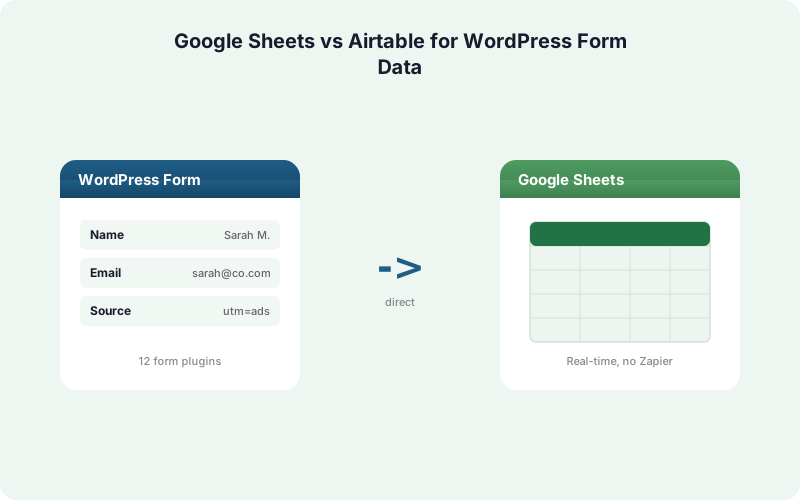
SheetLink Forms is a direct WordPress integration that writes submissions to your destination without Zapier or middleware. It supports 12 core form plugins, rising to 17 with the Pro tier. Airtable and Notion delivery is built in - free as a mirror alongside Sheets, or as a rule's sole destination with SheetLink Plus.
Google Sheets delivery is free, via one-click Google connect or a one-time Apps Script webhook. Airtable delivery uses per-field mapping so your form fields land in the right typed columns. Because delivery is rule-based, one form can fan out to a Sheet and an Airtable base at the same time.
That dual path is the anti-lock-in feature. Start on free Sheets, test Airtable in parallel, and switch your team over without rebuilding your forms. Want a CRM in the loop too? Pair it with a Sheets-based CRM or route to a real one. See all integrations and the add-on lineup for the full picture.
When Does Each Tool Actually Win?
Choose by workflow, not hype. Google Sheets wins for free, formula-driven analysis, high-volume flat data, and teams that already think in spreadsheets. Airtable wins for relational records, multiple role-specific views, native automations, and structured lead pipelines that must stay clean.
Pick Google Sheets if: budget is tight, you love pivot tables and QUERY, you share with many casual viewers, or you feed dashboards from large datasets.
Pick Airtable if: leads link to companies and deals, different roles need different views, you want no-code automations, or field-level data quality matters more than formula depth.
Pick both if: you are migrating, comparing, or serving two teams with different habits. SheetLink's per-rule delivery makes running both genuinely practical, not a maintenance headache. Agencies managing many clients can standardize either way from one admin.
Recap: Make the Call With Confidence
There is no universal winner here, only the right fit for your data and team. Google Sheets is the free, familiar, formula-rich grid that scales to 10,000,000 cells per file (Google Workspace Updates (2022)). Airtable is the relational, view-driven database that keeps structured lead data clean and automated.
The decision used to feel permanent because moving data between them was painful. It is not permanent anymore.
With a direct delivery layer, your WordPress forms write to whichever destination you choose, and you can change your mind, or send to both, without rebuilding anything. Start with the free Sheets path, add Airtable when your workflow calls for it, and let the tool follow your team instead of locking it in. Set up the free path with the Sheets setup guide.
| Dimension | Google Sheets | Airtable |
|---|---|---|
| Cost | Free with a Google account | Free tier, then per-seat monthly |
| Structure | Flat grid of cells + formulas | Relational records, typed fields |
| Scale | Up to 10,000,000 cells per file | Plan-based record caps; slows on large bases |
| Automations | Apps Script / add-ons (code or third-party) | Native no-code automation builder |
| SheetLink delivery | Free - one-click connect or Apps Script webhook | Built in, field-mapped (free as a mirror) |
Frequently Asked Questions
Is Google Sheets or Airtable better for WordPress form data?
It depends on workflow. Sheets is better for free, formula-driven analysis and high-volume flat data; Airtable is better for relational records, role-specific views, and native automations. With WordPress on roughly 43% of websites (W3Techs, 2026), both are common, proven destinations for lead data.
How many records can each tool hold?
Google Sheets allows up to 10,000,000 cells per spreadsheet (Google Workspace Updates, 2022), about a million rows in a ten-column sheet. Airtable's record limits vary by plan and large bases can feel slow, so Sheets generally scales further for high-volume, simple lead data.
Is Airtable more accurate than Google Sheets?
Airtable's typed fields and validation reduce certain data-entry mistakes that plague free-form grids. Audits have found errors in up to about 88% of inspected spreadsheets (Panko, 2008). Airtable's structure helps prevent those, though disciplined Sheets users with validation rules can stay clean too.
Which is cheaper, Sheets or Airtable?
Google Sheets is free for anyone with a Google account, and over 10 million businesses already use Google Workspace (Google Workspace Blog, 2025). Airtable is free to a point, then bills per seat per month, so its cost scales with team size rather than data volume.
Can SheetLink Forms send to both Sheets and Airtable?
Yes. SheetLink delivers to Google Sheets for free - one-click Google connect or a classic Apps Script webhook - and to Airtable - free as a mirror alongside Sheets, or as the sole destination with SheetLink Plus. Because delivery is rule-based, a single form can fan out to a Sheet and an Airtable base at the same time, with no middleware.
Does sending data to Airtable require Zapier?
No. SheetLink Forms is a direct WordPress integration, so it writes to Airtable without Zapier, Make, or any per-task middleware. SheetLink maps each form field to the correct typed Airtable column, with retry queue and full delivery logs included.
Which has better team collaboration?
Both support real-time multi-user editing. Google Sheets offers broad, free sharing with comments and version history. Airtable adds role-based permissions, locked views, and field-level controls, so larger teams where different roles need different data slices usually benefit more from Airtable's structure.
Can I switch from Sheets to Airtable later without rebuilding my forms?
Yes, that is the main anti-lock-in benefit of a direct delivery layer. Because SheetLink delivery is configured per rule rather than per form, you change destinations in the plugin settings. Your WordPress forms stay untouched, and you can run both destinations during migration.
More Automation guides
Send Your WordPress Leads Anywhere, No Lock-In
SheetLink Forms delivers to Google Sheets for free, to Airtable, or to both at once. No Zapier, no per-task fees, no rebuilding your forms.