
Turn Google Sheets into a Sales Pipeline Board for WordPress Leads
Build a stage-based pipeline board in Google Sheets that auto-fills from your WordPress forms in real time. Stage dropdowns, color-coded statuses, owner assignment, and a live per-stage summary - no Zapier task fees.
In This Guide
- What Is a Sales Pipeline Board in Google Sheets?
- Why Use Google Sheets Instead of a Dedicated CRM?
- How Do You Auto-Fill the Board from WordPress Forms?
- How Do You Build Stage Dropdowns?
- How Do You Color-Code Leads by Stage?
- How Do You Assign Owners to Leads?
- How Do You Build a Per-Stage Summary?
- How Do You Keep the Board Clean as It Grows?
- How Do You Track Where Each Lead Came From?
- Can You Build the Same Board in Excel?
- Recap: Your Self-Filling Pipeline Board
- Frequently Asked Questions
What Is a Sales Pipeline Board in Google Sheets?
A sales pipeline board is a single sheet where every lead is one row, and a Stage column tracks where that lead sits in your sales process: New, Contacted, Qualified, Proposal, Won, or Lost. Color-coding makes the board scannable at a glance.
Unlike a flat lead list, a pipeline board answers the question that matters most: where is each deal right now? You add stage dropdowns, conditional formatting per stage, an owner column, and a summary panel that counts leads by stage automatically.
This isn't a generic spreadsheet CRM. The focus here is movement - leads flowing from New to Won. With Google Workspace used by 10M+ businesses (Google, 2025), most teams already have the tool. They just need the structure.
Why Use Google Sheets Instead of a Dedicated CRM?
Many small sales teams still run their pipeline in spreadsheets because the tool is free, familiar, and infinitely flexible. Google Workspace serves 10M+ businesses (Google, 2025), so the learning curve is near zero for most teams that already live in Sheets.
A dedicated CRM adds per-seat fees, onboarding time, and rigid fields. For a team of two or three handling a few hundred leads a month, that overhead rarely pays off. A Sheets pipeline board gives you 80% of the value at no cost.
The one weakness Sheets has always had is data entry. Manually retyping every web lead is slow and error-prone. We solve that next by piping WordPress form submissions straight into the board. If you want the full CRM treatment, see our Google Sheets CRM for WordPress guide.
How Do You Auto-Fill the Board from WordPress Forms?
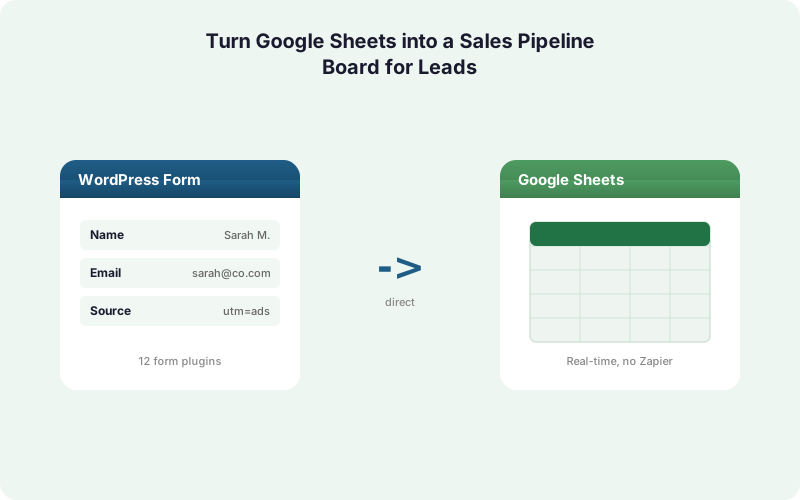
You connect your WordPress form to the sheet with a direct integration, so each submission becomes a new row instantly. SheetLink Forms delivers to Google Sheets for free - connect with the one-click Google connect and pick your sheet in the Google file picker, or deploy a classic Apps Script webhook once - with no per-task fees and no Zapier in the middle.
The direct path matters for a pipeline board. Polled middleware can lag 5 to 15 minutes; a direct pipe writes the row in 1 to 2 seconds. A new lead lands at the top of your board before the visitor closes the tab.
The first submission seeds the columns from your form's own fields: name, email, phone, message, and source. Add the Stage column yourself to the right of them and leave it blank on arrival - a default value or a formula sets every fresh row to New. See the Google Sheets setup docs and our complete WordPress-to-Sheets guide for the one-time wiring.
How Do You Build Stage Dropdowns?
Stage dropdowns turn a free-text column into a controlled set of values, which keeps your board clean and your summary formulas accurate. In Google Sheets, select the Stage column, open Data, then Data validation, and add a dropdown with your stage list. This is the single most important step for a working pipeline.
Use a short, fixed list: New, Contacted, Qualified, Proposal, Won, Lost. Six stages is plenty for most teams. Too many stages and reps stop updating them.
We've found that locking stages to a dropdown prevents the slow drift that wrecks spreadsheet reporting. Without it, one rep types "Qualified," another types "qualified," and a third writes "QL" - and your counts break. A dropdown forces consistency so every COUNTIF you write later actually matches. Store the stage list on a hidden tab and reference it with a named range so you can edit stages in one place.
How Do You Color-Code Leads by Stage?
Conditional formatting paints each row by its stage, so the board reads like a status map instead of a wall of text. Select your data range, open Format, then Conditional formatting, and add a rule using "Custom formula is" so the color follows the Stage cell across the whole row.
Use a formula like =$F2="Won" and set a green fill, then repeat for each stage with its own color. Anchor the column with a dollar sign so the rule spans every column in the row.
A simple, readable palette works best: green for Won, red for Lost, yellow for Contacted, blue for Qualified, and gray for New. In our experience, color is what makes a Sheets board feel like a real Kanban-style pipeline. A manager can open the tab and instantly see a wall of green (good week) or a sea of red (time to dig in). For richer visuals, our Sheets dashboards guide covers sparklines and pivots.
How Do You Assign Owners to Leads?
Add an Owner column with its own dropdown listing your reps, so every lead has a clear point of accountability. Pair it with conditional formatting or a filter view per owner, and each rep sees only their slice of the pipeline without a separate tool or login.
For automatic assignment, you have two routes. The simplest is a round-robin formula or a MOD on the row number to rotate owners as new rows arrive. The smarter route is conditional routing at the source.
With SheetLink Forms, conditional routing can stamp an owner based on a form field - say, region or product interest - before the row even reaches the sheet. A "West Coast" inquiry lands pre-assigned to the right rep. That removes the manual triage step entirely. Our conditional routing guide walks through the field-value rules in detail.
How Do You Build a Per-Stage Summary?
A per-stage summary is a small table that counts and values your leads at each stage, giving you a pipeline snapshot in one glance. Build it on a separate tab using COUNTIF to count leads per stage and SUMIF to total deal value per stage from your data tab.
A basic count looks like =COUNTIF(Leads!F:F,"Qualified"). Add a value column with =SUMIF(Leads!F:F,"Qualified",Leads!G:G) to see weighted pipeline by stage.
Layer on a conversion read with simple division: Won count divided by total leads gives your close rate. Because the data tab auto-fills from WordPress in real time, these numbers stay current with zero manual refresh, unlike scheduled-sync tools that poll on a delay. Add a sparkline or a stacked bar chart on top and you have a live pipeline dashboard. The dashboards guide shows the chart setup.
The free Google Sheets lead dashboard template has this summary built already, with per-stage counts, pipeline value, and a source breakdown that update themselves as rows arrive.
How Do You Keep the Board Clean as It Grows?
Spreadsheets degrade fast without discipline. Research found up to 88% of audited spreadsheets contain errors (Panko, 2008), with an average cell error rate near 3.9%. A pipeline board that feeds your revenue decisions can't afford that drift, so build guardrails from day one.
Three habits keep a board reliable. First, lock structural columns and protect formula ranges so a rep can't overwrite a COUNTIF. Second, deduplicate inbound leads so the same email doesn't create three rows.
Third, archive closed deals to a separate tab monthly so the active board stays short and fast. Google Sheets caps at 10,000,000 cells per spreadsheet (Google Workspace Updates, 2022), which is plenty, but a tidy board is faster to read and quicker to update. Our automatic deduplication guide covers the dedupe formulas and the routing rule that prevents duplicates at the source.
How Do You Track Where Each Lead Came From?
Add source columns and let them fill automatically, because knowing which campaign produced a Won deal is the whole point of a pipeline. SheetLink Forms captures UTM parameters and click IDs - GCLID, fbclid, and msclkid - on every submission, so each row arrives tagged with its true origin.
That turns your pipeline board into an attribution tool. Filter Won deals by UTM source and you see which channel actually closes, not just which one drives clicks.
Most manual pipelines lose this data because nobody pastes it in by hand. Capturing it at submission time means the column is never blank, and your per-stage summary can break down won-rate by channel. Pair this with the owner and stage columns and a two-person team gets reporting that rivals a paid CRM. Our UTM and GCLID attribution guide explains the capture in full.
Can You Build the Same Board in Excel?
Yes. Every technique here - stage dropdowns, conditional formatting, owner columns, and COUNTIF summaries - works the same in Microsoft Excel. SheetLink Forms delivers to Excel Online through Microsoft Graph in real time, so an Excel pipeline board fills itself exactly like the Sheets version.
You can even run both at once. The free mirror mode sends each submission to Google Sheets and an Excel workbook simultaneously, which suits teams split across Google and Microsoft tools.
If you'd rather drop Google entirely, the Primary Destinations add-on makes a OneDrive workbook the sole destination with no Google account required. The board logic is identical; only the host changes. See sending submissions to Excel Online and Excel Online vs Google Sheets to choose.
If Excel is where you actually work, the free CRM template for Excel is a real .xlsx download with the stage dropdowns, conditional formatting, and summary formulas already wired up.
Recap: Your Self-Filling Pipeline Board
A Google Sheets pipeline board gives a small sales team a clear, color-coded view of every deal in motion, for free. The five building blocks are stage dropdowns, conditional formatting, owner assignment, a per-stage COUNTIF summary, and source capture for attribution.
The piece that makes it actually work is real-time ingestion. A board nobody updates is worthless; a board that fills itself from your WordPress forms stays current without effort.
Direct sync writes each lead in 1 to 2 seconds, with no Zapier task fees and no scheduled-poll lag. Set the structure once, wire the form once, and your pipeline maintains itself. When you outgrow the board, the same data path feeds a full CRM via Multi-CRM Routing, so nothing is wasted. Compare paths in our true cost breakdown.
| Feature | Manual Spreadsheet | Scheduled Sync Tool | Direct Plugin (SheetLink) |
|---|---|---|---|
| New lead appears in | When you retype it | 5-15 min poll | 1-2 seconds |
| Stage dropdowns | Manual setup | Manual setup | Manual setup |
| Owner pre-assigned | No | No | Yes, via routing |
| UTM / source capture | Rarely filled | Source dependent | Automatic |
| Per-task fees | None | Yes | None |
Frequently Asked Questions
How do I make a stage dropdown in Google Sheets?
Select the Stage column, open Data, then Data validation, and add a dropdown listing your stages: New, Contacted, Qualified, Proposal, Won, Lost. Store the list on a hidden tab as a named range so you can edit stages in one place without touching every cell.
How do I color-code rows by stage?
Use Format, then Conditional formatting, with a custom formula like =$F2="Won" applied to the whole row range. Set a fill color per stage. Anchor the Stage column with a dollar sign so the color spans every column in that lead's row.
Can the pipeline board fill itself from WordPress?
Yes. A direct integration like SheetLink Forms sends each form submission straight to your sheet as a new row in 1 to 2 seconds, with no Zapier task fees. The first submission seeds the columns from your form's own fields, and every new lead appears at the top automatically.
How do I count leads per stage?
Use COUNTIF on the Stage column, for example =COUNTIF(Leads!F:F,"Qualified"). For pipeline value per stage, use SUMIF against a deal-value column. Because the data tab auto-fills in real time, these counts stay current with no manual refresh needed.
How do I assign leads to owners automatically?
Two ways. Use a round-robin formula with MOD on the row number to rotate reps, or use conditional routing at the source to stamp an owner based on a form field like region. Routing assigns the owner before the row reaches the sheet, removing manual triage.
Will my counts break if reps type stages differently?
Yes, which is why dropdowns matter. Free-text entries like "Qualified," "qualified," and "QL" won't match a COUNTIF. A data-validation dropdown forces one consistent value per stage, so your summary formulas and conditional formatting always work correctly.
How do I keep the board accurate as it grows?
Protect formula ranges, deduplicate inbound leads, and archive closed deals to a separate tab monthly. Research found up to 88% of audited spreadsheets contain errors (Panko, 2008), so guardrails matter. Google Sheets allows 10 million cells, so capacity is rarely the limit; cleanliness is.
Can I track which campaign produced each lead?
Yes. SheetLink Forms captures UTM parameters and click IDs (GCLID, fbclid, msclkid) on every submission, so each row arrives tagged with its source. Filter Won deals by UTM source in your summary to see which channel actually closes deals, not just which one drives clicks.
Does the same board work in Excel?
Yes. Stage dropdowns, conditional formatting, owner columns, and COUNTIF summaries all work in Excel. SheetLink Forms delivers to Excel Online via Microsoft Graph in real time. Free mirror mode can even fill a Sheet and an Excel workbook at once for mixed Google and Microsoft teams.
More Lead Management guides
Build a Pipeline Board That Fills Itself
SheetLink Forms pipes WordPress leads into Google Sheets in real time - no Zapier, no per-task fees, no manual data entry. One-time purchase, free Sheets delivery.