
Send WooCommerce Orders to Excel Online Automatically
Skip the daily CSV export. Stream each WooCommerce order and customer field straight into an Excel Online workbook on OneDrive in real time, with no Zapier and no Power Automate premium connector.
In This Guide
- Why Do CSV Order Exports Keep Breaking?
- How Does Direct WooCommerce-to-Excel Delivery Work?
- How Do You Connect Microsoft 365 to WordPress?
- How Do You Map Order Fields to Columns?
- What Is the Difference Between Mirror Mode and Excel-Primary?
- How Reliable Is Real-Time Delivery to Excel?
- Manual CSV Export vs Direct Delivery: Which Wins?
- What Can Finance and Accounting Teams Do With a Live Order Feed?
- Does This Work Beyond WooCommerce Orders?
- How Do You Get Started Today?
- Frequently Asked Questions
Why Do CSV Order Exports Keep Breaking?
Manual CSV exports break because they are a snapshot, not a feed. Finance teams lean on them anyway: 90% of financial-operations firms still rely on spreadsheets (AutoRek via PR Newswire, 2025), and 58% of finance leaders use Excel as their primary tool (Rossum, 2024).
The problem is the workflow around the export, not Excel itself. Someone has to remember to log in, filter the date range, click export, then paste rows into a master sheet. Miss a day and the totals are wrong.
Every manual copy-paste step also adds error risk. Audited spreadsheets show up to 88% containing errors at roughly a 3.9% cell error rate (Panko, 2016). A live feed removes the human step entirely.
That is the gap this guide closes. Instead of exporting orders, you stream them - each WooCommerce order lands in an Excel Online workbook the moment it is placed.
How Does Direct WooCommerce-to-Excel Delivery Work?
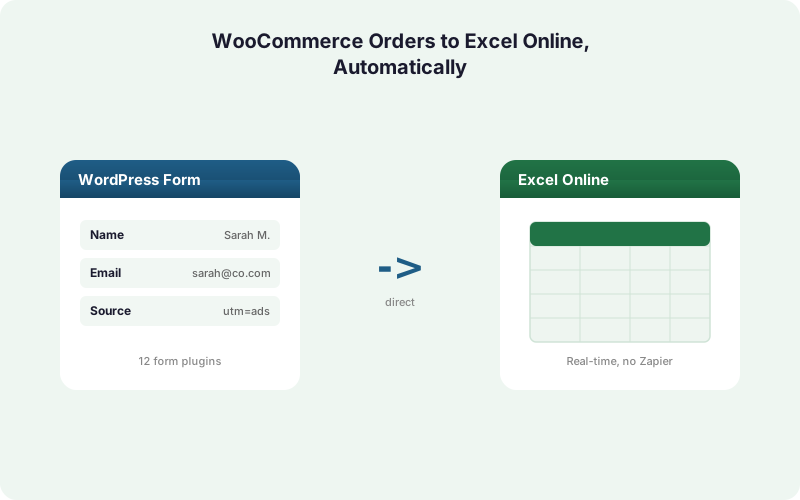
It works through Microsoft Graph, the official API behind Excel Online. SheetLink Forms holds an OAuth token for your Microsoft 365 account and appends a new row to a workbook table whenever an order completes. No middleware sits in between, so there is no Zapier per-task meter and no Power Automate premium-connector fee.
Microsoft 365 runs on more than 400 million paid commercial seats (Microsoft FY2024 earnings, SEC 8-K, 2024), so the workbook your accountant already opens every morning is the destination.
The flow is short. A shopper checks out, WooCommerce fires its order event, the plugin maps the fields you chose, then writes one row through Graph. Delivery happens in seconds, not on a polling schedule.
Because this is a direct integration, the same engine that handles WordPress form data handles commerce events too. You can read the broader picture in our guide to sending WordPress form submissions to Excel Online.
How Do You Connect Microsoft 365 to WordPress?
You connect Microsoft 365 once, through a guided OAuth flow that takes about five minutes. You click Connect, sign in with the Microsoft account that owns the target OneDrive, and approve read/write access to your workbooks. SheetLink Forms stores the resulting refresh token encrypted at rest, never your password.
The broker that handles this handshake is hosted, so you do not register your own Azure application or manage client secrets. That removes the single biggest setup hurdle teams hit with Power Automate, where premium-connector licensing enforcement began April 1, 2025 (Microsoft Learn, 2025).
After connecting, you pick the workbook and the table inside it. If the table does not exist yet, create a blank one with header cells and the plugin appends beneath them.
Want the screenshots and step list? The Excel Online feature page and the integrations directory walk through each screen, and the same OAuth pattern mirrors our Google Sheets setup.
How Do You Map Order Fields to Columns?
You map fields in a simple two-column table: WooCommerce field on the left, workbook column on the right. Each row you add becomes one column in Excel, so you control exactly which data lands and in what order. Common picks are order ID, total, currency, status, line items, and the billing email.
Mapping is per-rule, which means a refunds workbook and a daily-sales workbook can pull different fields from the same order. You are not forced into one rigid schema.
Customer fields map the same way. Pull billing name, company, phone, country, and any custom checkout field your theme adds. Marketing attribution comes along too, since the plugin captures UTM tags and click IDs like GCLID, fbclid, and msclkid automatically.
That attribution detail matters more than people expect. We break down why in our marketing attribution guide, and the broader field-mapping logic appears in our conditional routing walkthrough.
What Is the Difference Between Mirror Mode and Excel-Primary?
The difference is whether Google is in the loop. Mirror mode is free: one rule writes the same order to Google Sheets and Excel Online at the same time. Primary Destinations, part of SheetLink Plus ($29/mo), is the paid upgrade where Excel becomes the only destination and no Google account is required.
Mirror mode suits teams in transition. Ops keeps its existing Sheets dashboard while finance gets a live Excel copy, both fed by a single rule. Nothing is duplicated by hand.
Excel-primary mode suits Microsoft-only shops. If your organization has no Google Workspace, you skip Sheets entirely and write straight to OneDrive. The upgrade ships as Primary Destinations, part of SheetLink Plus on the pricing page.
Many finance teams genuinely prefer Excel for pivot tables and formula depth, while ops prefers Sheets for sharing. Mirror mode is the rare option that satisfies both without a second tool. For a deeper comparison, see our Excel Online vs Google Sheets breakdown.
How Reliable Is Real-Time Delivery to Excel?
Delivery is reliable because failed writes are queued, not dropped. SheetLink Forms ships a built-in retry queue with exponential backoff at 5 minutes, 30 minutes, and 2 hours. If Microsoft Graph is briefly unavailable, the order sits in the local WordPress queue and retries until it lands.
This matters for revenue data specifically. A lost lead is a missed opportunity, but a lost order row is a reconciliation error your accountant has to chase down. Poor data quality carries real downstream cost (IBM, 2024), so silent failures are unacceptable for finance.
Every attempt is recorded in full delivery logs. You can see which order wrote, which retried, and which is pending, instead of guessing whether last night's numbers are complete.
Contrast that with metered automation tools. Zapier prices each action as a billable task (Zapier, 2026), and Power Automate enforces per-flow run and throttling limits (Microsoft Learn, 2025) - so retries can cost money or hit caps.
Manual CSV Export vs Direct Delivery: Which Wins?
Direct delivery wins on every axis that matters to a finance team. A manual CSV export is free but it is a once-a-day snapshot that someone has to run, clean, and paste. Each of those steps invites the cell-level mistakes that show up in up to 88% of audited spreadsheets (Panko, 2016).
Direct delivery is real time and hands-off. The order writes itself, attribution rides along, and the retry queue guarantees the row arrives even through a brief outage.
The table below lays the two approaches side by side. Notice that the manual route's true cost is staff time and error risk, not a software fee.
If you currently route exports through a SaaS connector, our true-cost breakdown and Zapier cost analysis show how per-task pricing compounds at order volume.
What Can Finance and Accounting Teams Do With a Live Order Feed?
A live order feed turns a static spreadsheet into a working ledger. With 58% of finance leaders using Excel as their primary tool (Rossum, 2024), the highest-value move is feeding that tool automatically rather than replacing it.
Daily revenue reconciliation is the obvious win. Every order appends a row, so the running total in Excel always matches the store. No more end-of-day export to true up the numbers.
Accountants can build pivot tables on tax, refunds by reason, or revenue by country directly on the live data. Because the feed includes UTM and click IDs, marketing can tie spend to actual orders in the same workbook, which connects neatly to our dashboard and pivot guide.
Agencies managing multiple stores get one delivery model per client. The agency overview covers multi-site licensing, and the full add-on catalog sits on the add-ons page.
Does This Work Beyond WooCommerce Orders?
Yes - the same engine handles WordPress form submissions too. SheetLink Forms supports 12 core form plugins out of the box, and 17 with the Pro tier, so a checkout order and a contact-form lead can both stream into Excel from one install.
That breadth matters because WordPress powers roughly 43% of all websites (W3Techs, 2026), and popular forms like Contact Form 7 carry 10+ million installs (WordPress.org, 2026). Your store likely runs alongside several of them.
So a single workbook can hold orders on one table and quote requests on another, each fed by its own rule. Finance sees revenue, sales sees pipeline, no second tool needed.
If you also want that data in a CRM, the same submission can fan out simultaneously. See the WordPress form to Excel destination page and our spreadsheet-as-CRM guide for routing patterns.
How Do You Get Started Today?
Getting started takes one install and one connection. SheetLink Forms is free on WordPress.org, and the core plugin stays free. Excel-primary delivery comes with SheetLink Plus ($29/mo) via Primary Destinations; the free mirror mode needs no upgrade at all.
Install the plugin, connect Microsoft 365 through the five-minute OAuth flow, then create a rule that maps WooCommerce order fields to your workbook columns. Place a test order and watch the row appear.
From there, decide your destination strategy. Microsoft-only teams turn on Excel-primary mode; teams keeping a Sheets dashboard leave mirror mode on so both update at once.
Ready to map your first order feed? The Excel Online page has the setup walkthrough, the pricing page shows every tier, and our complete Google Sheets guide covers the same workflow for teams who want both spreadsheets in sync.
| Capability | Manual CSV Export | SheetLink Direct to Excel |
|---|---|---|
| Timing | Daily snapshot, run by hand | Real time, per order |
| Human steps | Login, filter, export, paste | None after setup |
| Error risk | High, manual copy-paste | Low, no re-keying |
| Reliability | Missed days lose data | Retry queue, never dropped |
| Per-task fees | None, but staff time | None, flat license |
| Attribution | Not included | UTM and click IDs captured |
Frequently Asked Questions
Does sending WooCommerce orders to Excel Online require Zapier?
No. SheetLink Forms writes orders directly to Excel Online through Microsoft Graph, with no Zapier or Power Automate in between. That avoids Zapier's per-task metering, where each action counts as one billable task (Zapier, 2026), and Power Automate's premium-connector licensing entirely.
Is mirroring orders to both Sheets and Excel free?
Yes. Mirror mode is free and writes each WooCommerce order to Google Sheets and Excel Online at the same time from one rule. The Primary Destinations add-on, which makes Excel the only destination and removes the Google requirement, is the paid upgrade, part of SheetLink Plus ($29/mo).
How fast does an order reach the workbook?
In seconds. When an order completes, WooCommerce fires its event and the plugin appends a row through Microsoft Graph immediately. There is no polling schedule, unlike some connectors that check for new data every few minutes and add noticeable lag for live dashboards.
What happens if Microsoft Graph is temporarily down?
The order is queued, not lost. SheetLink Forms uses a built-in retry queue with exponential backoff at 5 minutes, 30 minutes, and 2 hours. The row stays in the local WordPress queue and retries until it lands, with every attempt recorded in full delivery logs.
Which order and customer fields can I map?
Most of them. You map order ID, total, currency, status, and line items alongside customer fields like billing name, company, email, phone, and country. Custom checkout fields map too, and UTM tags plus click IDs such as GCLID and msclkid are captured automatically for attribution.
Do I need my own Azure app registration?
No. The OAuth handshake runs through a SheetLink-hosted broker, so you do not register an Azure application or manage client secrets. You sign in with a Microsoft 365 work or school account - personal Outlook.com accounts are not supported by Microsoft's Excel API - approve workbook access, and the refresh token is stored encrypted at rest, never your password.
Why use Excel instead of a CSV export for accounting?
A live feed removes the manual copy-paste step that causes errors. Audited spreadsheets show up to 88% containing mistakes (Panko, 2016), and 90% of finance firms still rely on spreadsheets (AutoRek, 2025), so feeding Excel automatically beats re-keying exports.
Can the same install also send WordPress form data to Excel?
Yes. The same engine supports 12 core form plugins, or 17 with the Pro tier, so checkout orders and contact-form leads both stream into Excel. One workbook can hold orders on one table and quote requests on another, each fed by its own rule.
More Tutorial guides
Stream Every Order Into Excel Online
No CSV exports, no Zapier tasks, no Power Automate fees. Connect Microsoft 365 once and watch each WooCommerce order land in your workbook in seconds.