
Excel PivotTables for WordPress Lead Data
Feed WordPress form submissions into an Excel Online table in real time, then slice leads by source, campaign, and week with PivotTables that refresh on demand.
In This Guide
- Why Use Excel PivotTables for Lead Data?
- How Does Lead Data Reach Excel in Real Time?
- How Should You Structure the Table for Pivots?
- Which Columns Make Lead Pivots Useful?
- How Do You Build a Leads-by-Source PivotTable?
- What Do Slicers Add to Lead Pivots?
- How Does Refresh Keep PivotTables Current?
- Why Skip Zapier or Power Automate for This?
- What Breaks Lead PivotTables Most Often?
- How Does This Scale Across Many Forms and Sites?
- Frequently Asked Questions
Why Use Excel PivotTables for Lead Data?
PivotTables turn a raw list of form submissions into answers without a single formula. With 400M+ paid Microsoft 365 commercial seats in play (Microsoft FY2024 (2024)), most teams already own Excel, so the analysis layer costs nothing extra.
A PivotTable groups, counts, and summarizes thousands of rows in seconds. Ask "how many leads came from each campaign last week?" and drag two fields. No SUMIFS, no manual filtering, no copy-paste.
The catch is data flow. PivotTables are only as fresh as the table beneath them. If you export a CSV every Monday, your pivots are stale by Tuesday. That's the problem real-time delivery solves, and it's why the structure of your source table matters more than the pivot itself.
How Does Lead Data Reach Excel in Real Time?
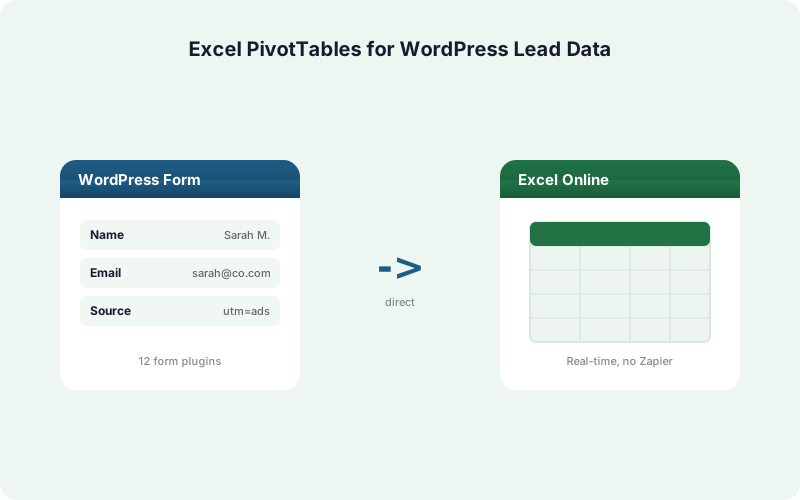
SheetLink Forms writes each WordPress submission straight into an Excel Online table on OneDrive through the Microsoft Graph API, with no Zapier, no Power Automate, and no CSV step. WordPress runs roughly 43% of all websites (W3Techs (2026)), so a direct path matters at scale.
Delivery is event-driven. The moment a visitor submits a form, a new row lands in your workbook table within a second or two. There's no polling delay and no batch window.
You can send to Excel two ways. The free mirror mode delivers one rule to Google Sheets and Excel at once. The paid Primary Destinations mode, part of SheetLink Plus ($29/mo), makes Excel the sole destination with no Google account. Both feed the same kind of structured table. See how Excel Online delivery works for the full setup.
How Should You Structure the Table for Pivots?
Structure decides whether pivots work at all. PivotTables require a clean, flat table: one header row, one record per row, no blank columns, and consistent data types. Spreadsheet research found up to ~88% of audited sheets contained errors (Panko (2016)), and most trace back to messy structure.
When SheetLink delivers to an Excel Online table, it writes into a real Table object (Insert > Table), not loose cells. That single choice fixes most pivot headaches because the table auto-expands as rows arrive.
Keep one field per column. Map your form fields to columns like submitted_at, source, campaign, form_name, and email. Avoid combining "campaign + medium" into one cell. A pivot can always concatenate later, but it can never reliably split a merged value back apart.
Which Columns Make Lead Pivots Useful?
The right columns decide which questions you can answer. With 58% of finance leaders naming Excel their primary tool (Rossum (2024)), the bottleneck is rarely the tool, it's whether the source data carries the dimensions you want to slice by.
For lead analysis, capture these as separate columns:
Timestamp - a real date in submitted_at so you can group by day, week, or month.
Source and campaign - SheetLink's automatic UTM and click-ID capture writes utm_source, utm_campaign, utm_medium, plus gclid, fbclid, and msclkid into their own columns. That gives you attribution dimensions for free. Our UTM and GCLID attribution guide covers the capture rules.
Form name - so multiple forms feeding one workbook stay distinguishable in the pivot.
How Do You Build a Leads-by-Source PivotTable?
Building the first pivot takes under a minute on a well-structured table. Click any cell in the table, choose Insert > PivotTable, and Excel detects the full table range automatically because SheetLink wrote into a named Table object that grows with each row.
For leads by source: drag utm_source to Rows and drag email (or any always-present field) to Values, set to Count. You instantly see how many leads each channel produced.
To break it down by campaign within each source, drag utm_campaign beneath utm_source in Rows. Add submitted_at to Columns and right-click to Group by Weeks for a leads-by-week-by-source matrix. The same three-field pattern answers most marketing questions. Our dashboards guide shows the equivalent build in Sheets.
What Do Slicers Add to Lead Pivots?
Slicers turn a static pivot into an interactive dashboard. They're clickable filter buttons that sit beside the PivotTable, and they make analysis usable by people who never want to touch a pivot field list. Given how widely Excel is used in operations, that accessibility matters.
Add one by clicking the PivotTable, then Insert > Slicer, and tick the fields you want as buttons. Good slicer choices for lead data are form_name, utm_medium, and utm_campaign.
Now a non-technical teammate can click "Paid Search" or "Newsletter" and watch every connected pivot and chart update at once. Add a Timeline (Insert > Timeline) on submitted_at for a slider that filters by month or quarter. One slicer can control several PivotTables on the same sheet through Report Connections.
How Does Refresh Keep PivotTables Current?
PivotTables cache their data, so new rows do not appear until you refresh. This is the single most misunderstood behavior. Even though SheetLink delivers each lead in real time, the pivot still shows yesterday's numbers until it re-reads the table.
Refreshing is one click: right-click the PivotTable and choose Refresh, or press Alt+F5. To refresh every pivot in the workbook, use Data > Refresh All.
For a hands-off setup, open PivotTable Options and tick "Refresh data when opening the file." Now the pivot updates automatically each time someone opens the workbook. Because the underlying table already holds every submission the instant it arrives, that one refresh reflects truly current data, not an export from last week. Real-time delivery plus auto-refresh is what keeps the dashboard honest.
Why Skip Zapier or Power Automate for This?
A direct integration avoids the cost and limits of middleware. Zapier meters by task, with paid plans starting around $29.99/month and overages billed at 1.25x (Zapier (2026)). Power Automate began enforcing premium-connector licensing on April 1, 2025 (Microsoft Learn (2025)).
With per-task pricing, every lead you analyze first costs money to move. At 2,000 submissions a month, that tax compounds fast. A direct plugin charges a flat fee and never meters rows.
SheetLink also adds a built-in retry queue with exponential backoff at 5 minutes, 30 minutes, and 2 hours, plus full delivery logs. If Microsoft Graph hiccups, the row waits and retries instead of vanishing. Our true-cost breakdown runs the five-year math, and the WordPress form to Excel page covers the connection.
What Breaks Lead PivotTables Most Often?
Most pivot failures come from data, not the pivot. Spreadsheet studies put the average cell error rate near 3.9% (Panko (2008)), and dirty source data corrupts every summary built on top of it.
Three problems cause the bulk of trouble:
Text dates. If submitted_at arrives as text, Excel cannot Group by Week or Month. Format the column as Date once and the grouping menu unlocks.
Inconsistent labels. "Facebook", "facebook", and "FB" pivot as three separate sources. Normalize UTM values at the form level so the channel groups cleanly.
Blank rows or merged cells. These break the table range and confuse the pivot. Because SheetLink writes into a structured Excel Table, the range stays intact automatically, which removes the most common cause on its own.
How Does This Scale Across Many Forms and Sites?
The pattern scales cleanly from one form to a whole agency. Spreadsheet reliance stays high: 90% of financial-ops firms still depend on them (AutoRek via PR Newswire (2025)), so a repeatable Excel workflow has real staying power.
SheetLink works across 12 core form plugins (17 with the Pro tier), including Gravity Forms, WPForms, Fluent Forms, and Elementor Pro. Add a form_name column and one workbook can hold every form, with slicers separating them in the pivot.
For multiple client sites, the Agency setup keeps each site's data in its own workbook while reusing the same table structure and pivot template. Build the dashboard once, then duplicate it. Browse all add-ons to layer routing or scoring on top of the same feed.
| Path to Excel | Real-Time Rows | Per-Task Fees | Retry on Failure | Pivot-Ready Table |
|---|---|---|---|---|
| SheetLink (direct via Graph) | Yes, 1-2 sec | None (flat fee) | Built-in queue | Writes to Table object |
| Zapier | Polled / webhook | Per task, 1.25x overage | Vendor managed | Manual mapping |
| Power Automate | Flow run | Premium connector license | Vendor managed | Manual mapping |
| Manual CSV export | No, batch only | None | None | Re-import each time |
Frequently Asked Questions
Do PivotTables update automatically when a new lead arrives?
No. Excel caches PivotTable data, so a new row will not show until you refresh. SheetLink delivers each lead in real time, but you still press Alt+F5 or enable "Refresh data when opening the file" so the pivot re-reads the current table.
Why should SheetLink write into an Excel Table, not loose cells?
A structured Excel Table auto-expands as rows arrive, so your PivotTable range never goes stale. SheetLink writes submissions into a real Table object, which means new leads are included on the next refresh without you re-selecting the data range each time.
Can I analyze leads by campaign and week at the same time?
Yes. Put utm_campaign in Rows and submitted_at in Columns, then right-click the dates and Group by Weeks. You get a campaign-by-week matrix instantly. This needs a real date column, so make sure submitted_at is formatted as a date, not text.
Where do the source and campaign columns come from?
SheetLink captures UTM parameters and click IDs automatically, writing utm_source, utm_campaign, utm_medium, gclid, fbclid, and msclkid into their own columns on each submission. Those become ready-made pivot dimensions, so attribution analysis works without any extra tracking setup on the form.
Is sending WordPress leads to Excel free?
Mirror mode is free: one rule delivers to Google Sheets and Excel Online at the same time. Making Excel the sole destination with no Google account uses Primary Destinations, part of SheetLink Plus ($29/mo). Both feed the same structured table that PivotTables read from.
Do I need Zapier or Power Automate to connect forms to Excel?
No. SheetLink writes directly to Excel Online through the Microsoft Graph API with no middleware. That avoids Zapier's per-task metering, which starts around $29.99/month, and Power Automate's premium-connector licensing that began enforcing on April 1, 2025.
What stops my PivotTable from grouping by date?
Almost always a text-formatted date column. If submitted_at arrives as text, Excel disables Group by Week or Month. Select the column, format it as Date once, then the grouping menu unlocks. SheetLink can deliver a clean timestamp so this rarely happens.
Can slicers filter several PivotTables at once?
Yes. Insert a slicer on a field like form_name or utm_medium, then use Report Connections to attach it to multiple PivotTables on the same sheet. One click then filters every connected pivot and chart together, which turns the workbook into a shared interactive lead dashboard.
More Lead Management guides
Feed Excel PivotTables With Live Lead Data
SheetLink Forms writes every WordPress submission straight into an Excel Online table in real time. No Zapier, no CSV, no per-task fees.